

NikaSpin App
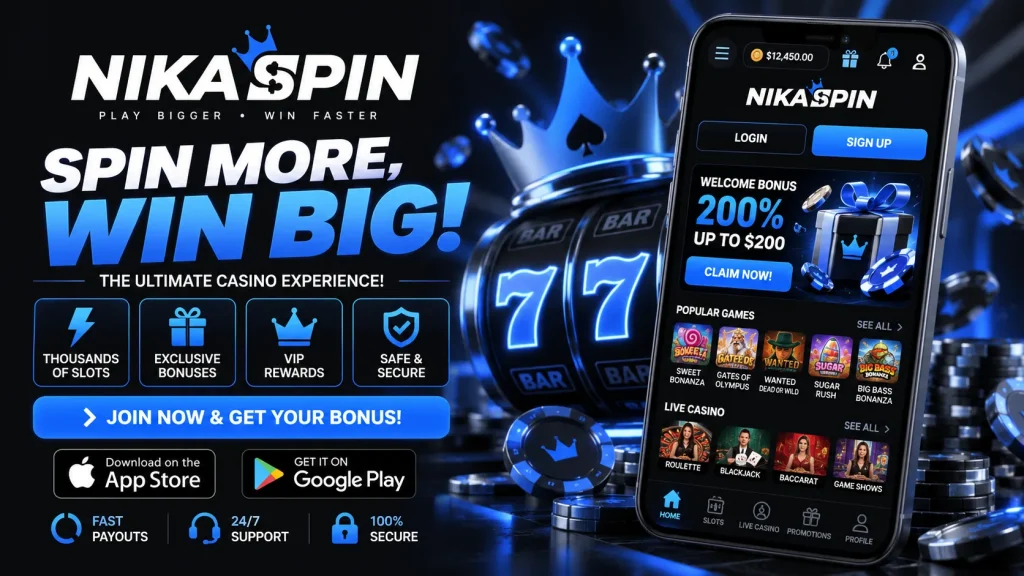
We built the NikaSpin app for players who want the full casino experience without waiting around. Whether you’re topping up a coffee break or settling in for an evening session, the NikaSpin mobile app puts our entire lobby, live tables and cashier in your pocket. This page covers everything you need before you install: system requirements, download steps for both iOS and Android, how logins and payments work on mobile, and what to do if something doesn’t go smoothly the first time. We’d rather you read this now than run into a snag mid-session, so we’ve kept it detailed and honest rather than just telling you it’s “great.”
Why play on the NikaSpin mobile app
The NikaSpin app isn’t a stripped-down version of our site — it’s built on HTML5, which is the same technology powering our desktop platform. In practical terms, that means one build runs smoothly across phones and tablets, games load directly in your browser or app shell without extra plugins, and graphics stay sharp without draining your battery or your data allowance. You won’t be downloading gigabytes of assets for individual slots; instant-play titles stream in as you tap them, so the lobby feels light and responsive rather than clunky. Compared with a native-only app, this also means updates roll out instantly, with no waiting on app store approval queues. If you’ve used clunky gambling apps before that lag on animations or freeze mid-spin, this is the difference HTML5 makes.
Installing the app on Android
Because Google Play restricts real-money gambling apps in many regions including the UK, we distribute our Android build directly as an APK from our own site rather than through the Play Store. This is standard practice across licensed operators, not a workaround — you’re still getting the same secure, tested build. Here’s the process, start to finish:
- Visit NikaSpin on your Android browser and open the app download page.
- Tap the download button to save the APK file — it’s a small file, typically under 40MB.
- Before installing, you’ll need to allow “install from unknown sources” in your device settings, since the file isn’t from Google Play.
- Open the downloaded file and confirm the installation prompts.
- Launch the NikaSpin app icon from your home screen and log in or register.
The whole thing usually takes two to three minutes on a decent connection, and you won’t need to repeat the unknown-sources step for future updates if you keep the same settings enabled.
Adding the app on iOS
Apple’s App Store guidelines are similarly restrictive for real-money casino apps, so iPhone and iPad users install NikaSpin as a home screen web app instead — a lightweight, app-like shortcut that behaves the same as a native download. Open Safari, go to our site, and tap the share icon at the bottom of the screen. Select “Add to Home Screen,” confirm the name, and an icon appears just like any other app. From then on, tapping it opens NikaSpin in a full-screen window with no browser bars, fast reloads, and the same HTML5 performance as Android. There’s nothing to approve from Apple and no separate update process — refreshing the page pulls in the latest version automatically, so you’re always running current software without manual updates.
Minimum requirements for a smooth experience
The NikaSpin app is deliberately lightweight, but a few baseline specs help avoid slow loading or crashes. We recommend Android 8.0 or later and iOS 14 or later, with at least 150MB of free storage for temporary caching (the install itself is much smaller). A stable 4G, 5G or Wi-Fi connection is ideal for live dealer streaming; anything under 3Mbps may cause buffering on live tables, though slots and table games will still run comfortably. Older devices can run the app, but expect slightly longer load times on graphics-heavy slots.
| Requirement | Android | iOS |
|---|---|---|
| Minimum OS version | 8.0+ | 14+ |
| Storage needed | ~40MB install, 150MB free recommended | Minimal (web app), 150MB free recommended |
| Connection | 4G/5G/Wi-Fi | 4G/5G/Wi-Fi |
| Install method | APK download from NikaSpin site | Add to home screen via Safari |
Getting started: registration and first deposit
We’ve kept onboarding to as few taps as possible because we know typing on a small screen is annoying. Registration is a short form — email, password, date of birth and a couple of account basics — and takes under two minutes. Once you’re in, our verification process runs quietly in the background for most accounts, so you’re not stuck waiting days later when you try to withdraw. We may ask for ID documents at some point per UK licensing requirements, and doing this early, right after signup, is the single best way to avoid delays on your first cashout. From download to your first spin, most players are up and running in under five minutes.
Logging in without the hassle
Nobody wants to retype a password every time they open a casino app. The NikaSpin app supports biometric login on compatible devices, so Face ID or fingerprint gets you straight into your account. There’s also a “stay logged in” option for personal devices, meaning one tap from your home screen takes you directly into the lobby. If you ever switch phones or clear your browser data, standard email and password login is always there as a backup, along with a straightforward password reset flow if you get locked out.
Deposits, withdrawals and mobile-friendly payments
Payments on the NikaSpin mobile app are built around one-tap convenience. You can save a payment method once and reuse it, which matters when you’re depositing from your phone rather than sitting at a desktop with a card in hand. We support methods UK players already use daily, including Apple Pay and Google Pay, debit cards, popular e-wallets, and select crypto options for players who prefer them. Minimum deposits typically start around £10, with withdrawal minimums slightly higher depending on the method.
Withdrawal speed is where trust is really won or lost, so we’re upfront about it: e-wallet withdrawals are usually the fastest, often processed within hours once approved; card withdrawals and bank transfers can take a few business days depending on your provider. Verified accounts see noticeably faster turnaround, which is another reason to complete ID checks early rather than at cashout time.
| Method | Typical minimum | Approx. withdrawal time |
|---|---|---|
| Apple Pay / Google Pay | £10 | Same day – 24 hours |
| E-wallets | £10 | A few hours – 24 hours |
| Debit card | £15 | 1–3 business days |
| Crypto | £20 equivalent | Under an hour, network-dependent |
Games and live casino on the go
The mobile catalogue mirrors our desktop site rather than trimming it down. You’ll find hundreds of slots from established studios, table game variants of blackjack and roulette, growing jackpot titles, and a full live casino section with real dealers streamed in HD. Search and category filters are built for thumb navigation, so finding a specific slot or your favourite live blackjack table takes seconds rather than endless scrolling. Live dealer games do lean more on your connection quality, but on 4G or Wi-Fi the stream keeps pace with desktop, with the same betting windows and chat features intact.
Mobile bonuses and ongoing value
Some of our promotions are app-specific or notified first through push alerts, including free spins drops and time-limited reload offers. New players get a welcome package on first deposit, and our loyalty scheme rewards regular mobile play with perks that scale over time. We list wagering requirements and expiry terms clearly on every offer page rather than burying them in small print, because vague bonus terms are exactly what makes players distrust an operator. If a term isn’t clear to you, our support team will explain it before you opt in, not after.
Security and responsible play
All traffic through the NikaSpin app is encrypted, and our games run on certified RNG systems audited for fairness. We operate under licensing appropriate to the UK market, and account security features like biometric login and session timeouts are there specifically to protect mobile users, who are more likely to be on shared Wi-Fi or public networks. We also build responsible gambling tools directly into the app: deposit limits, time-outs, self-exclusion and reality check reminders are all accessible from your account settings, not hidden away. If gambling stops being fun, these tools take a few taps to activate.
Sorting out common installation issues
Most problems have simple fixes. If the Android APK won’t install, double-check “unknown sources” or “install unknown apps” is enabled for your browser in device settings — this is the most common blocker. If the app opens but won’t load the lobby, a slow or unstable connection is usually the cause; switching from mobile data to Wi-Fi often resolves it instantly. Login issues are typically down to an expired session or a forgotten password — use the reset link rather than repeated attempts, which can temporarily lock the account for security. If none of that helps, our support team is available 24/7 through live chat inside the app itself, and they can usually diagnose device-specific issues within minutes.
The bigger picture
The NikaSpin app exists because we think mobile play shouldn’t be a compromise. Everything available on NikaSpin through your browser — games, promotions, account tools, support — carries over faithfully to your phone, just faster and more conveniently packaged. Whether you’re installing the Android build directly from our site or adding the iOS version to your home screen, you’re getting the same licensed, secure platform either way. Give it a try and judge the speed for yourself.